The Mystery of the Shrinking Battery Life
You’ve probably noticed your trusty tablet doesn't hold a charge like it used to. What was once a day-long companion now demands frequent trips to the charger, often leaving you tethered to an outlet. This frustrating decline isn't just in your head; it’s a natural process linked to the very core of what powers your device: its battery. Specifically, most modern tablets rely on Lithium-Polymer (Li-Po) technology, a sophisticated power source whose performance changes over time.
Understanding how these batteries work, and critically, how to select a reliable replacement, is key to restoring your tablet's longevity. Many users encounter misconceptions about battery care and replacement options, leading to wasted effort or subpar performance. We're here to demystify the science behind Li-Po batteries and guide you through making informed decisions.
How Lithium-Polymer (Li-Po) Batteries Work
Lithium-Polymer batteries are a refined version of lithium-ion technology, distinguished by their use of a polymer electrolyte instead of a liquid one. This semi-solid polymer allows for more flexible cell designs and often a thinner, lighter profile, making them ideal for sleek devices like tablets. At their core, Li-Po batteries generate electricity through the movement of lithium ions between a positive electrode (cathode) and a negative electrode (anode) during charge and discharge cycles.
When a Li-Po battery discharges, lithium ions move from the anode through the electrolyte to the cathode, releasing electrons that power your device. During charging, this process reverses, with ions returning to the anode. This intricate dance of ions is incredibly efficient, offering high energy density—meaning a lot of power packed into a small volume—and a relatively stable voltage output. However, like all batteries, their capacity to facilitate this movement degrades over time due to chemical changes within the cells, leading to reduced overall capacity and shorter battery life.
The Science of Energy Storage
The specific chemical composition of the electrodes and the polymer electrolyte largely determines a Li-Po battery's performance characteristics, including its voltage (typically 3.7V or 3.85V for tablets) and capacity, measured in milliampere-hours (mAh). Higher mAh ratings generally indicate a longer runtime between charges, assuming all other factors remain constant. The safety and longevity of a Li-Po battery are also heavily influenced by its internal Battery Management System (BMS), a tiny circuit that monitors and controls charging, discharging, and temperature to prevent overheating or overcharging.
Myths vs. Facts About Li-Po Batteries
The world of battery care is rife with outdated advice and common misunderstandings. Separating fact from fiction is crucial for optimizing your device's lifespan and choosing the right replacement Li-Po battery.
- Myth 1: You must fully drain a Li-Po battery before recharging to prevent 'memory effect'.
Fact: This applies to older nickel-cadmium batteries, not modern Li-Po batteries. Li-Po batteries do not suffer from memory effect. In fact, deep discharges can stress the battery and shorten its lifespan. Partial charges are generally better. - Myth 2: Overcharging will ruin your Li-Po battery.
Fact: Modern devices and Li-Po batteries have sophisticated internal circuits (BMS) that stop charging once the battery reaches 100%. While leaving it plugged in indefinitely won't 'overcharge' it in the traditional sense, prolonged exposure to high voltage and heat can still contribute to long-term degradation. - Myth 3: Fast charging always damages Li-Po batteries.
Fact: While rapid charging generates more heat, reputable fast-charging technologies are designed to manage heat and current flow safely. The primary concern is sustained excessive heat, not the charging speed itself, provided the charger and device are compatible and certified. - Myth 4: Storing a Li-Po battery at 100% charge is best for longevity.
Fact: For long-term storage (weeks or months), experts recommend storing Li-Po batteries at around 50-60% charge in a cool, dry place. Storing at full charge for extended periods can accelerate capacity loss due to elevated internal stress. - Myth 5: All generic replacement Li-Po batteries are unsafe or poor quality.
Fact: While some uncertified generic batteries pose risks, many third-party manufacturers produce high-quality Li-Po batteries that meet stringent safety and performance standards. The key is to assess the manufacturer's reputation, certifications, and product specifications, not to dismiss all non-OEM options outright.
Selection Criteria for Replacement Li-Po Batteries
Choosing a replacement Li-Po battery for your tablet requires careful consideration to ensure compatibility, safety, and performance. Don't just pick the cheapest option; look for these key indicators:
- 1. Exact Voltage (V) Match: Your new Li-Po battery must match the voltage specified for your tablet (e.g., 3.85V). Using a battery with an incorrect voltage can damage your device's charging circuitry or the battery itself. Always verify this on the original battery or device specifications.
- 2. Compatible Capacity (mAh): The replacement battery's milliampere-hour (mAh) rating should ideally match or be very close to the original battery's capacity. While a slightly higher mAh might suggest longer runtime, it must still be within the device's design tolerances. Significantly lower mAh will result in shorter battery life.
- 3. Safety Certifications and Quality Assurance: Look for certifications like CE, RoHS, and FCC. These indicate that the Li-Po battery has met certain safety, health, and environmental protection standards. Reputable manufacturers often provide details about their quality control processes, including overcharge, over-discharge, and short-circuit protection.
- 4. Reputable Seller and Warranty: Purchase from sellers with positive reviews and a clear return or warranty policy. A good warranty, typically 6-12 months, indicates the manufacturer's confidence in their product's durability and performance.
| Feature | What to Look For | Why It Matters |
|---|---|---|
| Voltage (V) | Matches original (e.g., 3.85V) | Ensures electrical compatibility and prevents damage. |
| Capacity (mAh) | Matches or slightly exceeds original | Determines battery life; ensures adequate power supply. |
| Certifications | CE, RoHS, FCC marks | Confirms adherence to safety and environmental standards. |
| Protection Circuits | Built-in BMS (overcharge, over-discharge, short-circuit) | Essential for user safety and battery longevity. |
| Warranty | 6-12 months or more | Indicates manufacturer confidence and support. |
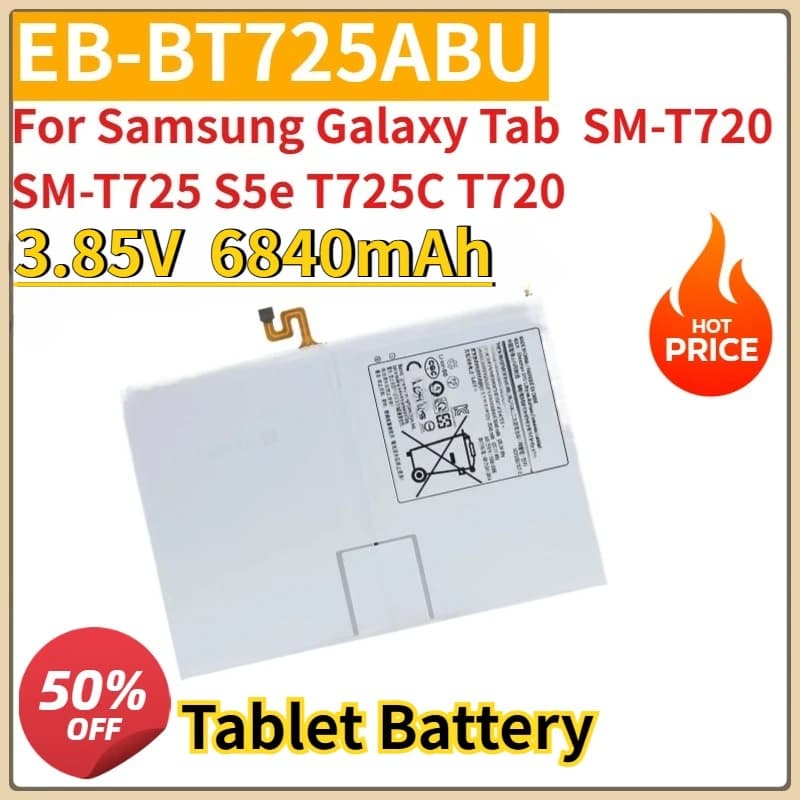
A product that meets these stringent criteria is the New Replacement Tablet Battery 3.85V 6840mAh EB-BT725ABU, designed for specific Samsung Galaxy Tab models like the SM-T720 and SM-T725 S5e. This Li-Polymer replacement battery offers the specified voltage and high capacity, aiming to restore original battery life. It is crucial to verify that any replacement, including this one, aligns with the precise model number of your device to ensure electrical and physical compatibility. Such batteries are designed with appropriate internal protection mechanisms, offering a viable solution for users experiencing significant degradation in their tablet's performance. See details and current price →
Usage & Optimization Tips for Li-Po Battery Life
Even with a new replacement Li-Po battery, how you use and maintain your tablet significantly impacts its long-term health. Adopting smart habits can extend the life of your battery and keep your device performing optimally.
- 1. Avoid Extreme Temperatures: High heat and extreme cold are enemies of Li-Po batteries. Do not leave your tablet in direct sunlight, a hot car, or expose it to freezing temperatures. Research suggests that operating or storing Li-Po batteries at temperatures outside their optimal range (typically 20-30°C) can accelerate degradation.
- 2. Practice 'Partial Charging': Instead of letting your tablet drain completely and then charging to 100%, aim for more frequent, smaller charges. Keeping the charge level between 20% and 80% can reduce stress on the Li-Po battery and prolong its lifespan, according to battery experts.
- 3. Manage Background Apps and Screen Brightness: Unnecessary background applications and an excessively bright screen consume significant power. Regularly close unused apps and adjust screen brightness to a comfortable, lower level to reduce discharge cycles and extend daily usage.
- 4. Use the Correct Charger: Always use the charger supplied with your device or a certified, high-quality third-party charger that matches the tablet's voltage and current requirements. Using an incompatible charger can lead to inefficient charging, overheating, and potential damage to the Li-Po battery.
Keep Your Tablet Powered Longer
The declining performance of a tablet battery is an inevitable part of its lifecycle, but it doesn't have to signal the end of your device. By understanding the science of Lithium-Polymer batteries, dispelling common myths, and making informed choices about quality replacements and usage habits, you can significantly extend your tablet's useful life. Which of these tips will you implement first to revitalize your device?