The Hidden Frustration of a Failing Keyboard
Ever spent 30 minutes trying to complete a critical task, only to have your keyboard miss key presses or feel sluggish? Many users report that this common frustration impacts everything from gaming performance to daily productivity. It’s not just an inconvenience; it can lead to wasted time, errors, and even physical discomfort over extended periods.
The subtle yet persistent annoyance of an unresponsive or uncomfortable keyboard can silently erode your efficiency and enjoyment. Whether you're battling a final boss or drafting an important document, the tool you interact with most directly shouldn't be a source of stress.
Understanding the Root Causes of Keyboard Performance Issues
Subpar Switch Technology and Durability
The primary reason many keyboards fail to deliver consistent performance lies in their underlying switch technology. Most entry-level keyboards utilize membrane switches, which work by pressing a rubber dome against a circuit board. While inexpensive, these switches often suffer from a 'mushy' feel, inconsistent actuation points, and a shorter lifespan.
According to engineering principles, membrane switches inherently provide less tactile feedback and a higher risk of 'ghosting' – where multiple key presses aren't registered simultaneously. This limitation is particularly evident in fast-paced activities, where every keystroke matters.
Ergonomic Deficiencies and Material Quality
Another significant factor is the overall build quality and ergonomic design. Keyboards constructed from flimsy plastic can exhibit significant flex, leading to an unstable typing surface and accelerated wear. This flex not only feels cheap but also contributes to finger fatigue as your hands compensate for the instability.
Poor keycap materials, often thin ABS plastic, wear down quickly, becoming shiny and uncomfortable. The lack of proper weight and an unsuitable base material exacerbate these issues, creating an experience that is far from ideal for prolonged use.
Input Lag and Anti-Ghosting Limitations
Many standard keyboards are not designed for rapid, complex input. They can suffer from N-key rollover (NKRO) limitations, meaning they can only register a limited number of simultaneous key presses. This results in 'ghosting' or 'key jamming,' where certain inputs are ignored entirely.
Data suggests that for tasks requiring precision, such as gaming or programming, a keyboard with full NKRO or at least 6-key rollover is essential to prevent missed commands. The internal circuitry and polling rate also play a crucial role in minimizing input lag, ensuring that your actions translate to the screen instantaneously.
Finding a Real Solution: The Path to Improved Input
The general solution to these common keyboard woes involves upgrading to a device designed for precision, durability, and ergonomic comfort. This typically points towards mechanical keyboards, which utilize individual switches for each key.
The most effective approach is to select a mechanical keyboard featuring high-quality switches, robust construction, and advanced features like anti-ghosting. Such keyboards offer superior tactile or linear feedback, quicker response times, and a significantly longer lifespan compared to their membrane counterparts.
Your Selection Checklist: Choosing a High-Performance Keyboard
When evaluating potential keyboard solutions, consider these critical criteria:
- Switch Type and Feel: Look for mechanical switches that match your preference. Linear switches (like Red or Yellow) offer a smooth, consistent keystroke, ideal for speed and quiet operation. Tactile switches (like Brown) provide a bump for feedback without a click, while clicky switches (like Blue) give audible and tactile feedback.
- Build Quality and Materials: Prioritize keyboards with a sturdy base, preferably aluminum or heavy-duty steel, to minimize flex and enhance durability. Quality keycaps, such as PBT, resist shine and wear much better than standard ABS.
- Key Rollover and Anti-Ghosting: Ensure the keyboard supports at least 6-key rollover (6KRO) or, ideally, N-key rollover (NKRO) via USB. This guarantees that all your key presses register, even during intense, multi-finger input.
- Hot-Swappability: This feature allows you to change individual key switches without soldering, extending the keyboard's lifespan and enabling customization of your typing experience. It also simplifies repairs if a single switch fails.
- Ergonomics and Customization: Consider features like adjustable feet for typing angle, wrist rests, and programmable keys or macros to tailor the keyboard to your specific needs and reduce strain.
| Feature | Benefit | Why it Matters |
|---|---|---|
| Mechanical Switches | Consistent, responsive input | Prevents missed keystrokes, improves typing speed |
| Aluminum Base | Enhanced durability, stability | Reduces flex, extends keyboard lifespan |
| Full N-Key Rollover | Accurate simultaneous input | Critical for gaming and fast typing tasks |
| Hot-Swap Sockets | Customization, easy repair | Allows switch changes without soldering, future-proofs device |
| Quiet Linear Switches | Reduced noise, smooth press | Ideal for shared spaces or focused work/gaming |
After a thorough assessment of available options, prioritizing these criteria will lead you to a keyboard that genuinely enhances your computing experience rather than hindering it. A product that meets these criteria often features a robust aluminum base, hot-swappable switches, and full anti-ghosting capabilities.
A Product Meeting These Criteria
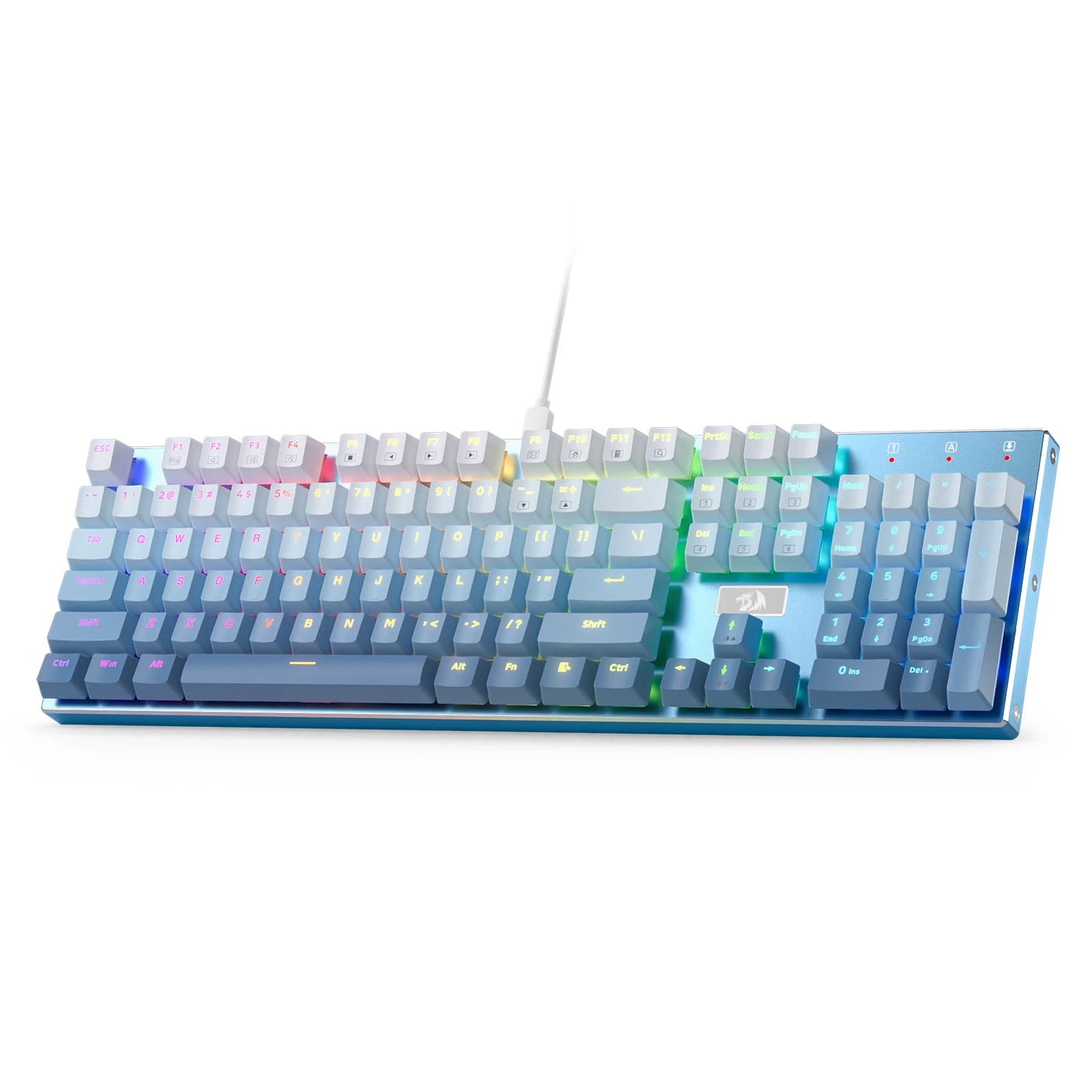
One such product that effectively addresses these performance and durability concerns is the Redragon K556 SE RGB LED Backlit Wired Mechanical Gaming Keyboard. This model features a durable aluminum base, ensuring minimal flex and a stable platform for intense use. It comes equipped with 104 keys and hot-swap linear quiet Red switches, allowing users to customize their tactile experience or replace individual switches without complex soldering. The quiet Red switches provide a smooth, consistent press, which is ideal for both rapid gaming actions and extended typing sessions in quiet environments. Its robust construction and switch design aim to reduce typing fatigue and ensure every keystroke is registered accurately. Many users report that its build quality provides a noticeable upgrade in reliability.
For those interested in exploring this solution further, you can See details and current price →.
Bonus Tips for Optimal Keyboard Use (No Purchase Needed!)
Even the best keyboard can be undermined by poor habits. Here are a few tips to enhance your experience without needing to buy anything:
- Maintain Proper Posture: Sit upright, with your wrists straight and forearms parallel to the floor. This reduces strain on your wrists and fingers, preventing fatigue regardless of your keyboard type.
- Regular Cleaning Schedule: Dust, crumbs, and debris can accumulate under keycaps, causing sticky keys or reducing responsiveness. Use compressed air and a soft brush to clean your keyboard regularly, ensuring optimal function.
- Master Keyboard Shortcuts: Leverage operating system and application-specific keyboard shortcuts to minimize mouse usage and streamline your workflow. This reduces repetitive strain and boosts efficiency, making your current setup feel faster.
Elevate Your Everyday Computing
The quest for seamless interaction with your computer often begins with the most fundamental tool: the keyboard. Understanding the underlying issues of common keyboard problems and knowing how to identify a genuinely effective solution can transform your daily computing experience.
By focusing on durable construction, responsive mechanical switches, and essential features like anti-ghosting, you can overcome common frustrations. It’s about investing in a tool that supports your productivity and enjoyment, rather than holding you back. What keyboard challenges have you faced, and how did you overcome them?