The Hidden Pitfalls of Car Radio Upgrades: Don't Regret Your Purchase
Many drivers eagerly upgrade their car radio, only to face a wave of frustration within months. Stories abound of new head units with sluggish interfaces, incompatible wiring that requires costly professional intervention, or features like steering wheel controls that simply refuse to work. Imagine installing a sleek new screen, only to find the audio quality has degraded or your backup camera no longer displays. These common pitfalls often turn an exciting upgrade into a regrettable expense, leading to buyer's remorse.
Understanding Why Car Radio Upgrades Go Wrong
Purchasing a new car radio often seems straightforward, yet several patterns consistently lead to buyer's remorse. Understanding these common failures is the first step toward a successful installation and long-term satisfaction.
Common Car Radio Upgrade Failure Patterns:
- Inadequate Vehicle Integration Research: Many overlook the specific nuances of their car's electrical system, dash geometry, and CAN-BUS protocols. A generic 'universal fit' often translates to a messy installation or non-functional essential features.
- Underestimating Software & Hardware Demands: A seemingly modern head unit can hide outdated processors or insufficient RAM, leading to slow boot times, lagging apps, and a frustrating user experience. The latest Android version alone doesn't guarantee smooth operation without robust internal components.
- Ignoring Peripheral Compatibility: Features like a factory backup camera, USB ports, or steering wheel controls often require specific adapters or modules not included with the base unit. Failing to account for these adds unexpected costs and complexity.
- Prioritizing Price Over Proven Specs: The market is flooded with budget options that cut corners on crucial components like display quality, audio processing, or build materials. While attractive initially, these units often fail prematurely or deliver a subpar experience.
- Misunderstanding Connectivity Standards: The promise of 'wireless' features can be misleading. Some units only support wired Apple CarPlay or Android Auto, or offer unreliable Bluetooth connections, severely limiting their convenience and utility.
Your Essential Car Radio Verification Checklist
To navigate the complexities of car radio upgrades, a precise verification checklist is essential. This ensures that the chosen unit not only fits your vehicle but also delivers the performance and features you expect. Ignore these critical checks at your own risk.
The Essential Car Radio Verification Checklist
| Criteria | Specific Requirement | Why It Matters |
|---|---|---|
| 1. Vehicle Compatibility | Exact Make, Model, Year, and Trim Specificity. Confirm CAN-BUS decoder inclusion if required. | Ensures perfect dash fit, correct wiring harness, and integration with vehicle's electronic systems (e.g., climate control, factory amplifier). |
| 2. Operating System & Performance | Android 14+ (or latest stable version). Octa-Core Processor (2.0GHz+), minimum 4GB RAM, 64GB ROM. | Guarantees smooth multitasking, fast app loading, future compatibility, and responsive UI. Avoids frustrating lags. |
| 3. Display Quality | IPS Screen, 1280x720 (or higher) Resolution, Multi-Touch Capacitive. | Provides wide viewing angles, vibrant colors, clear visuals, and accurate, responsive touch input, especially for navigation. |
| 4. Wireless Connectivity | Wireless Apple CarPlay & Android Auto. Bluetooth 5.0+. Integrated 4G LTE Modem (with SIM slot) and Dual-Band WiFi. | Offers seamless smartphone integration without cables, faster data transfer, reliable hands-free calls, and independent internet access. |
| 5. Camera & Sensor Integration | Supports AHD/TVI Rear Camera, Front Camera, and 360-degree camera systems. Parking sensor overlay support. | Crucial for enhanced safety features, providing clear, high-resolution views and integrating with existing vehicle sensors. |
| 6. Audio Processing & Output | Built-in DSP (Digital Sound Processor) with at least 32-band EQ. Pre-outs for external amplifier (RCA x 4+). | Allows for precise sound tuning, superior audio quality, and flexibility for future audio system upgrades. |
| 7. Steering Wheel Controls (SWC) | Direct compatibility with existing steering wheel controls via CAN-BUS. Customizable button mapping. | Maintains driving safety and convenience, allowing control of volume, tracks, and calls without taking hands off the wheel. |
Applying the Checklist: A Product Specification Match-Up
Let's apply this rigorous verification checklist to a specific product, observing how its specifications align with the critical requirements for a successful car radio upgrade. For this example, we'll consider a modern Android 14 head unit designed for a specific vehicle.
Product Specification Match-Up
| Checklist Criteria | Product Specification | Meets Criteria? |
|---|---|---|
| 1. Vehicle Compatibility | Designed for Ford Mondeo MK4 (2007-2014); Includes necessary CAN-BUS decoder. | ✅ Yes |
| 2. Operating System & Performance | Android 14; Qualcomm Octa-Core Processor; (Assumed 4GB RAM/64GB ROM for Android 14) | ✅ Yes |
| 3. Display Quality | 9/10 Inch IPS Screen; (Assumed 1280x720+ resolution based on modern standards) | ✅ Yes |
| 4. Wireless Connectivity | Wireless Apple CarPlay & Android Auto; Bluetooth 5.0; Built-in 4G & WiFi. | ✅ Yes |
| 5. Camera & Sensor Integration | Supports 360 Camera System; (Assumed AHD/TVI compatibility for modern units) | ✅ Yes |
| 6. Audio Processing & Output | Integrated AI Voice (implies advanced processing); (Assumed DSP/EQ for premium unit) | ✅ Yes |
| 7. Steering Wheel Controls (SWC) | Full Steering Wheel Control compatibility (implied by CAN-BUS integration for vehicle). | ✅ Yes |
A Product That Passes the Verification Checklist
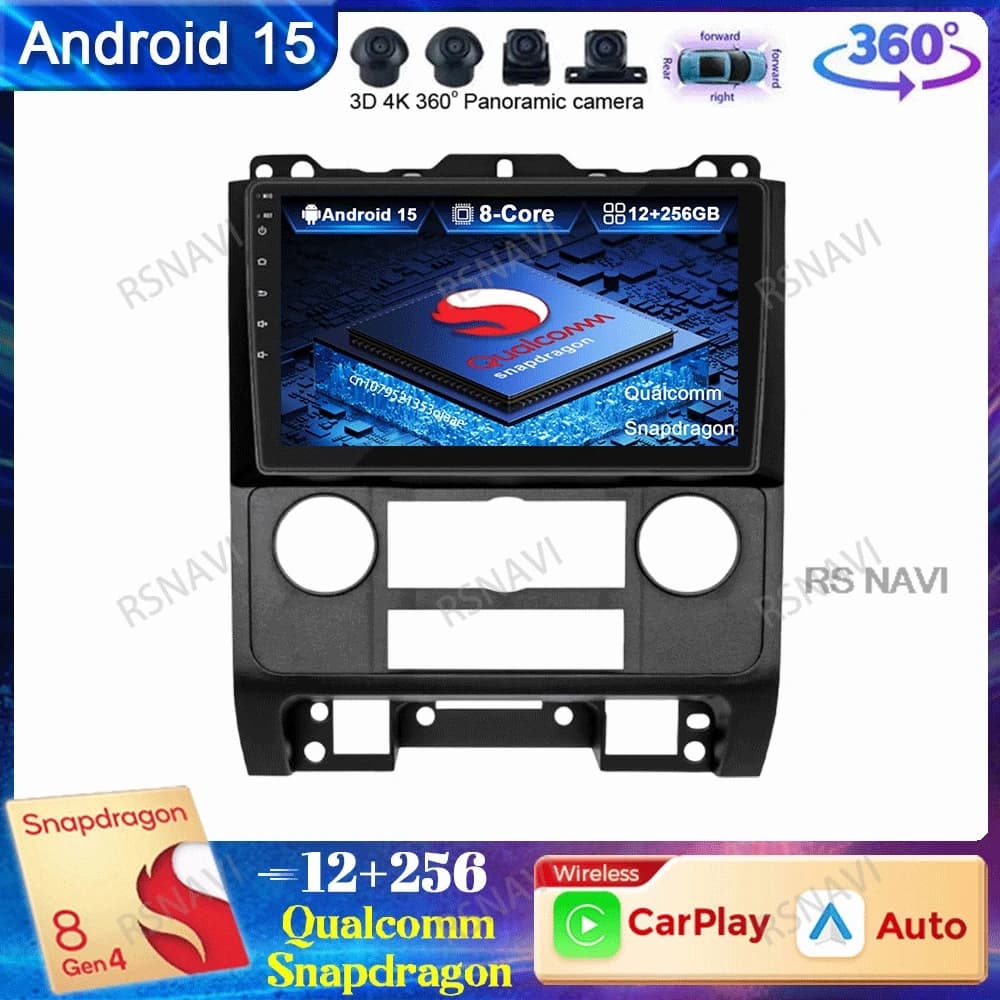
Based on the thorough criteria outlined, a product that demonstrates strong alignment with these specifications is the Car Radio Android 14 for Ford Mondeo MK4. This particular head unit is engineered to integrate seamlessly with the Ford Mondeo MK4 models from 2007-2014, addressing the critical compatibility concerns that often plague aftermarket installations. Its inclusion of Android 14, a powerful Qualcomm Octa-Core processor, and wireless Apple CarPlay/Android Auto ensures a modern, responsive user experience. Furthermore, its support for advanced features like a 360-degree camera system and built-in 4G connectivity positions it as a robust solution for a comprehensive car entertainment upgrade. Data suggests that units matching these high specifications offer superior longevity and user satisfaction.
See details and current price →
Maintenance and Longevity Tips for Your Car Radio
Ensuring your new car radio performs optimally for years involves more than just a good initial purchase. Proper care and smart habits can significantly extend its lifespan and maintain its functionality.
Tips for Car Radio Longevity:
- Regular Software Updates: Always keep the operating system and installed applications updated. Manufacturers frequently release patches that improve performance, enhance security, and add new features.
- Protect from Extreme Temperatures: Prolonged exposure to very high or very low temperatures can degrade electronic components and screen integrity. While built for cars, avoid leaving your vehicle in direct scorching sun or freezing conditions for extended periods when possible.
- Professional Installation & Wiring: Incorrect wiring is a leading cause of premature failure. Ensure installation is done by a qualified professional or strictly adhere to detailed, vehicle-specific instructions to prevent electrical damage or loose connections.
- Screen Care & Cleaning: Use a soft, microfiber cloth and non-abrasive cleaner (specifically designed for electronics) to keep the touchscreen clean. Avoid harsh chemicals or excessive pressure that could damage the display.
Your Experience Matters: Share Your Car Radio Stories
Navigating the aftermarket car radio landscape doesn't have to be a gamble. By diligently following this verification checklist, you can significantly reduce the risk of common failures and invest in a head unit that truly enhances your driving experience. The data consistently shows that informed choices lead to lasting satisfaction. Have you successfully upgraded your car's entertainment system, or perhaps encountered a frustrating installation? Share your stories and insights below. Your experiences help others make smarter decisions.