Ever Felt Frustrated by Laggy Input?
Ever found yourself battling an invisible opponent: a subtle delay between your keypress and the action on screen? That split-second lag or a missed input can derail your focus, costing you crucial moments in a competitive game or disrupting your flow during a tight deadline. Many instinctively blame their internet connection or an aging computer, yet the genuine bottleneck often lies directly beneath your fingertips: your keyboard.
This isn't just about minor annoyance; consistent input inefficiency can lead to increased errors, reduced productivity, and significant user frustration. Understanding the true causes is the first step toward reclaiming precise control over your digital interactions.
Why Your Keyboard Undermines Your Output
The seemingly simple act of pressing a key involves a complex chain of events. When any link in this chain is weak, overall keyboard performance suffers. Scientific and engineering principles reveal several common culprits.
Input Latency and Polling Rate
One of the primary factors affecting keyboard responsiveness is input latency, directly tied to the device's polling rate. The polling rate dictates how frequently your keyboard reports its status to your computer. A keyboard with a 125Hz polling rate, for instance, updates its state 125 times per second, resulting in an 8-millisecond delay between each report. In contrast, a 1000Hz polling rate reduces this to a mere 1 millisecond.
While human reaction times average around 100-200 milliseconds, this cumulative delay, especially in fast-paced scenarios, can noticeably impact real-time keyboard performance. Modern operating systems and applications are optimized for rapid input, and a slow polling rate can create a perceptible disconnect between user intent and on-screen execution.
Subpar Switch Design & Key Rollover
The physical mechanism beneath each key plays a critical role. Many budget keyboards use membrane switches, which rely on rubber domes to make contact. These often have a mushy feel, longer actuation distances, and are prone to wear, leading to inconsistent response over time. Crucially, membrane boards typically suffer from 'ghosting' or 'key jamming,' where pressing multiple keys simultaneously results in some inputs being ignored.
This is due to limited key rollover capabilities. High-performance mechanical keyboards, on the other hand, utilize individual switches for each key, allowing for N-Key Rollover (NKRO). NKRO ensures every keypress is registered independently, even when multiple keys are pressed at once, vital for rapid typing or complex command inputs. Furthermore, cheaper mechanical switches can have inconsistent debounce times – the brief period a switch needs to settle after actuation – causing accidental double-inputs or missed presses.
Unreliable Wireless Connectivity
While the convenience of a wireless keyboard is undeniable, not all wireless connections are created equal. Bluetooth, a common wireless standard, can be susceptible to interference from other devices operating on the 2.4GHz spectrum (like Wi-Fi routers or other Bluetooth peripherals). This interference can introduce unpredictable delays or dropped connections, severely impacting keyboard performance.
Dedicated 2.4GHz wireless connections, typically using a USB dongle, often offer more stable and lower-latency performance than Bluetooth, as they can employ proprietary protocols optimized for speed. However, even these can experience signal degradation in very crowded wireless environments or over extended distances, highlighting the inherent trade-offs between wired reliability and wireless freedom.
Ergonomic Strain & Lack of Customization
Beyond technical specifications, physical comfort and adaptability significantly influence long-term keyboard performance. An unergonomic design can lead to wrist strain, fatigue, and an increase in typing errors over prolonged use. Standard keyboards often lack options for adjusting height or angle, forcing users into uncomfortable postures.
Moreover, the inability to customize key switches or keycaps means users are stuck with a typing experience that might not suit their preferences. Some prefer a quiet, smooth keystroke, while others seek a tactile bump or an audible click. A lack of customization options can directly impede typing speed and overall comfort, indirectly affecting output quality.
Reclaiming Your Input Precision: The Path to Better Keyboard Performance
Addressing these fundamental issues requires a strategic approach. While software tweaks and system optimizations can offer minor improvements, the most impactful solution often involves re-evaluating your core input device.
General remedies include ensuring your operating system drivers are up-to-date, minimizing background processes that consume system resources, and keeping your workspace free from potential wireless interference. However, for a truly transformative improvement in keyboard performance and user experience, investing in a high-performance input device designed with precision, reliability, and user adaptability in mind is the most effective approach. Such devices directly counter the root causes of frustrating input delays and inconsistencies.
Choosing a Keyboard for Optimal Performance: The Selection Checklist
When selecting a new keyboard, prioritize features that directly mitigate input problems and enhance user experience. A discerning eye for specifications can save considerable frustration down the line.
Key Criteria for a Responsive Keyboard
- Versatile Connectivity Options: Look for keyboards offering multiple connection modes—wired for zero latency, 2.4GHz wireless for reliable untethered use, and Bluetooth for broad device compatibility. This adaptability ensures optimal keyboard performance across various scenarios.
- High-Quality Mechanical Switches: Opt for mechanical switches, which offer superior durability, consistent actuation, and often a better typing feel than membrane alternatives. Hot-swappable switches are a significant bonus, allowing you to experiment with different switch types (linear, tactile, clicky) without buying a new keyboard, extending the device's lifespan and customization potential.
- High Polling Rate & N-Key Rollover (NKRO): A polling rate of 1000Hz is ideal for minimal latency. Ensure the keyboard supports full NKRO to guarantee every keypress registers, especially when typing rapidly or executing complex commands.
- Robust Build Quality & Ergonomics: A solid chassis (e.g., aluminum or high-grade plastic) prevents flex and enhances durability. Consider adjustable feet for ergonomic tilt and ensure the keycaps are durable (e.g., PBT plastic) to resist shine and wear.
- Software Customization: Look for accompanying software that allows key remapping, macro creation, and precise control over RGB lighting. This enhances both efficiency and personalization, tailoring the keyboard to your specific workflow.
| Feature | Benefit for Keyboard Performance | What to Look For |
|---|---|---|
| Connectivity | Reliable, low-latency connection across devices. | Tri-mode (Wired, 2.4GHz, Bluetooth) |
| Switches | Consistent, responsive, and customizable keystrokes. | Hot-swappable mechanical (e.g., quiet linear red) |
| Polling Rate | Minimal input delay for instant response. | 1000Hz via wired/2.4GHz |
| Key Rollover | Accurate registration of all simultaneous presses. | Full N-Key Rollover (NKRO) |
| Build Quality | Durability and stable typing platform. | Metal chassis, PBT keycaps |
A Solution That Meets the Demands for Optimal Input
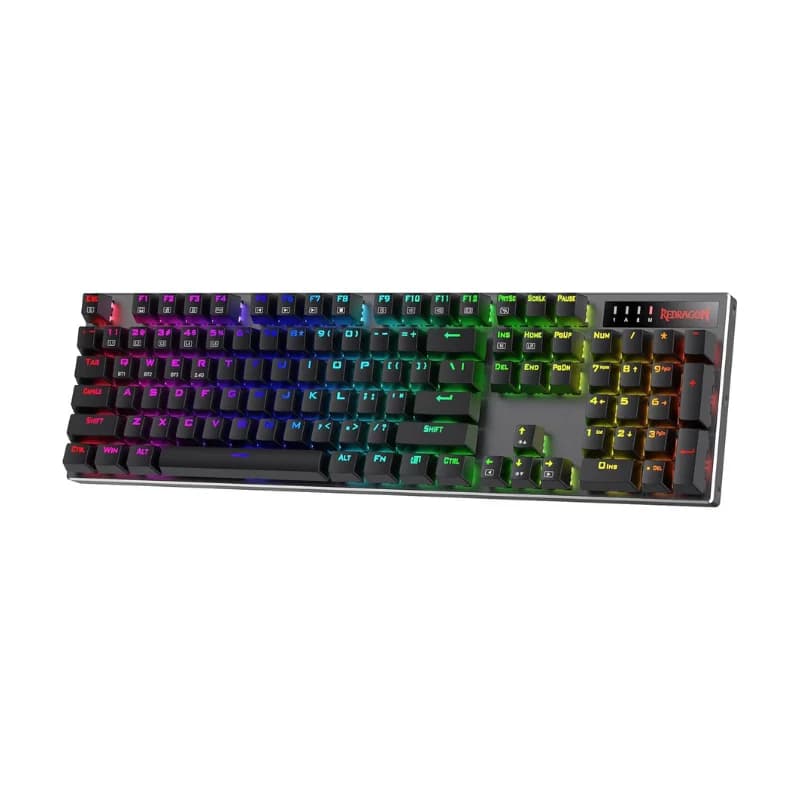
After considering the critical criteria for superior keyboard performance, it becomes clear that a blend of advanced connectivity, robust mechanical design, and user-centric features is essential. A product that meets these stringent criteria, offering a compelling solution to the common frustrations of input lag and lack of versatility, is the Redragon K556 PRO Upgraded Wireless RGB Gaming BT/2.4Ghz Tri-Mode Mechanical Hot-Swap Linear Quiet Red Switch Keyboard.
This keyboard addresses the core problems by providing tri-mode connectivity, ensuring reliable performance whether you prefer a wired connection for zero latency, 2.4GHz wireless for stable freedom, or Bluetooth for multi-device pairing. Its hot-swappable design, coupled with quiet linear red switches, allows for a personalized and unobtrusive typing experience. The robust build quality and extensive RGB customization further enhance its appeal for users seeking a durable and adaptable input device to elevate their keyboard performance.
Redragon K556 PRO Upgraded Wireless RGB Gaming BT/2.4Ghz Tri-Mode Mechanical Hot-Swap Linear Quiet Red Switch Keyboard $77.99 Affiliate disclosure: We may earn a commission at no extra cost to you.More in computer

Why Your Long-Endurance Drone Missions Fail: The Critical Engine Checklist
$9193.44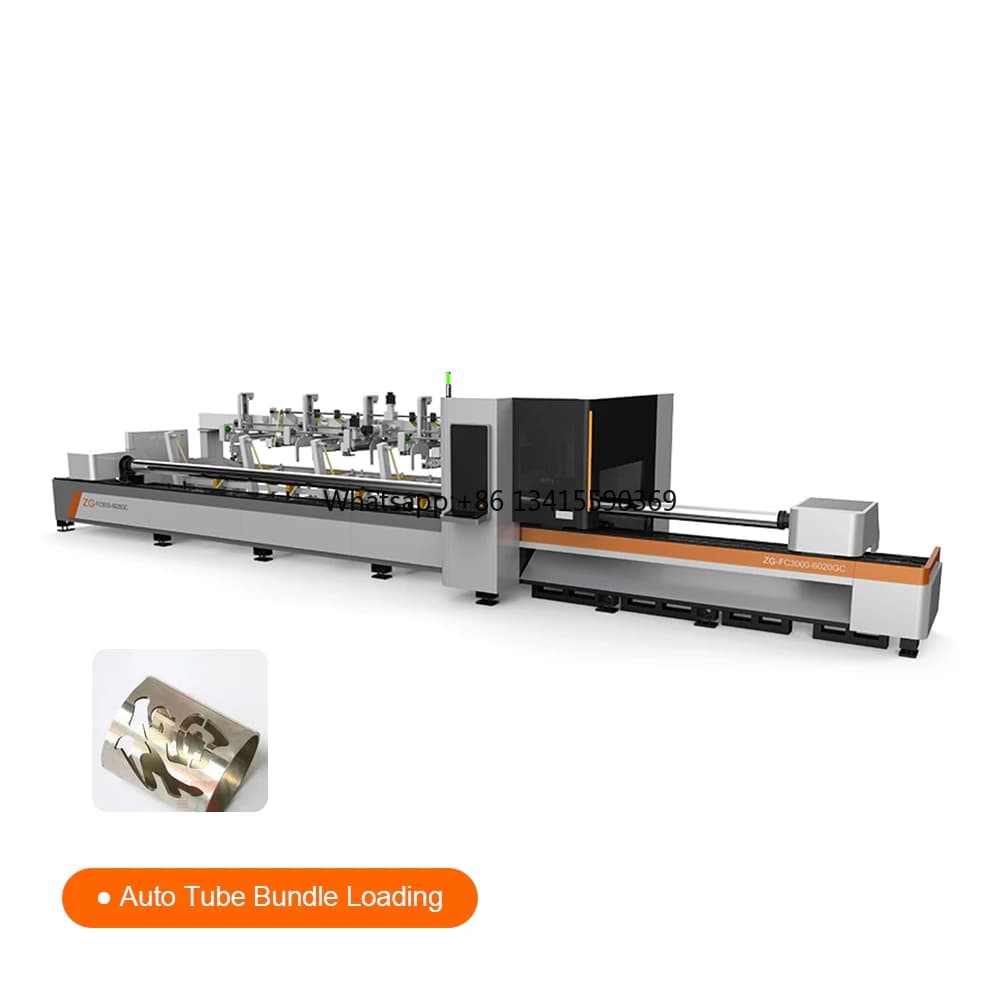
Unlock Production: Why Automated Metal Pipe Cutting is Essential
$40707.42
Don't Waste $100: The 7-Point Mechanical Keyboard Verification Checklist
$89.00
Why Your Desk Setup Needs an Early Summer Refresh: Prevent Digital Strain
$126.48